Factor an Invoice
Factoring sells your invoice to a factor at a discount. You get cash now; the factor collects the full amount from your debtor later.
How It Works
Factoring is a two-step handshake:
- You authorize — pick a factor and agree on terms
- Factor executes — they send you the advance payment
Once you authorize, your invoice is consumed on-chain. It can never be double-factored — this is the core anti-fraud guarantee.
Steps
1. Browse the Marketplace
Go to the Marketplace page to see all registered factors. Here you can compare their available capital, public advance rates, and reputation.
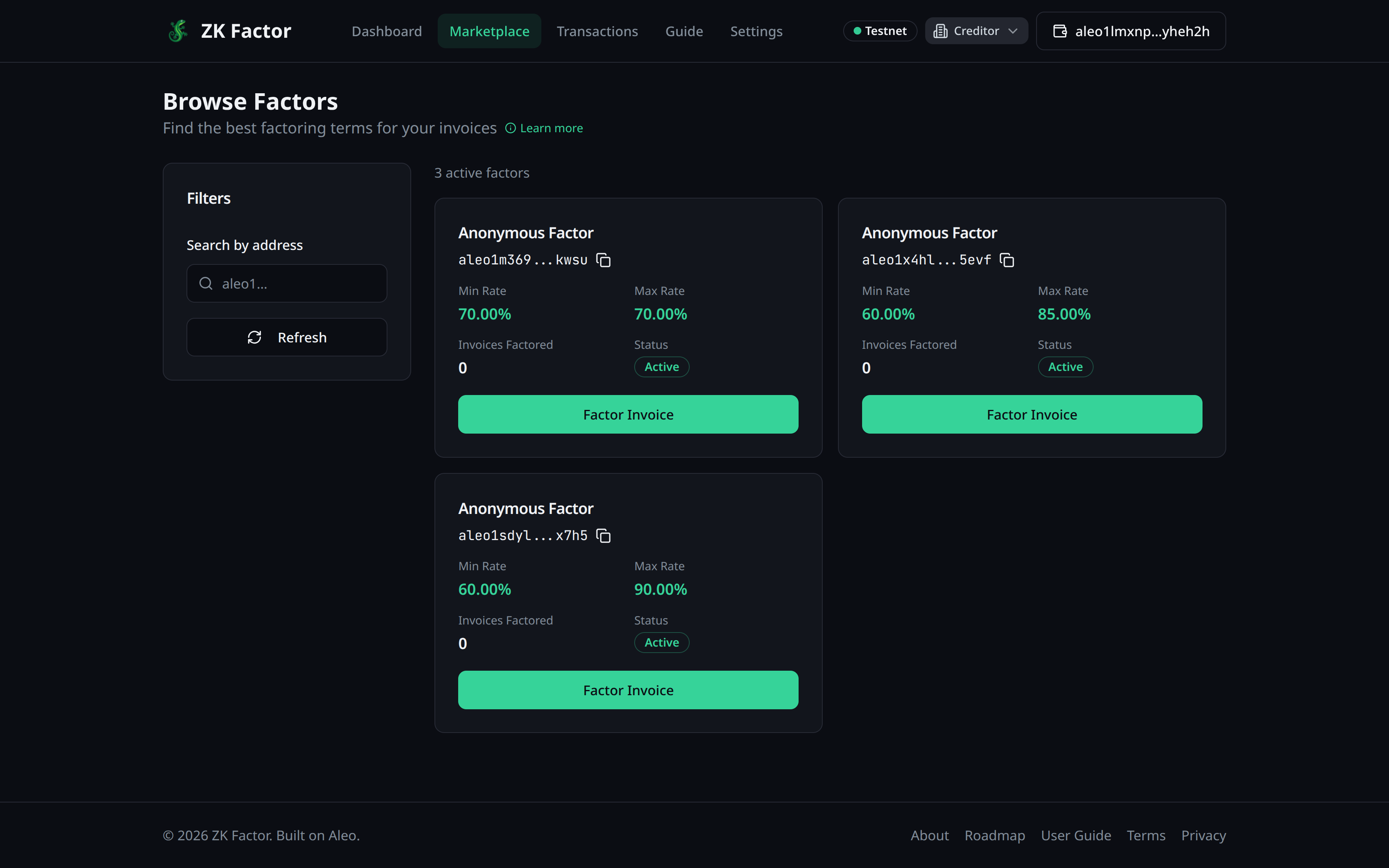
2. Choose a Factor
Once you've found a factor that meets your needs, click the Factor Invoice button on their card.
3. Configure the Offer
In the popup form, select the following:
- Choose Invoice: Pick the invoice you wish to factor from your list of available invoices.
- Factor Amount: You can choose to factor the full amount or a partial amount if you only need a portion of the cash.
- Advance Rate: Set your desired rate. This must be within the Factor's public boundaries.
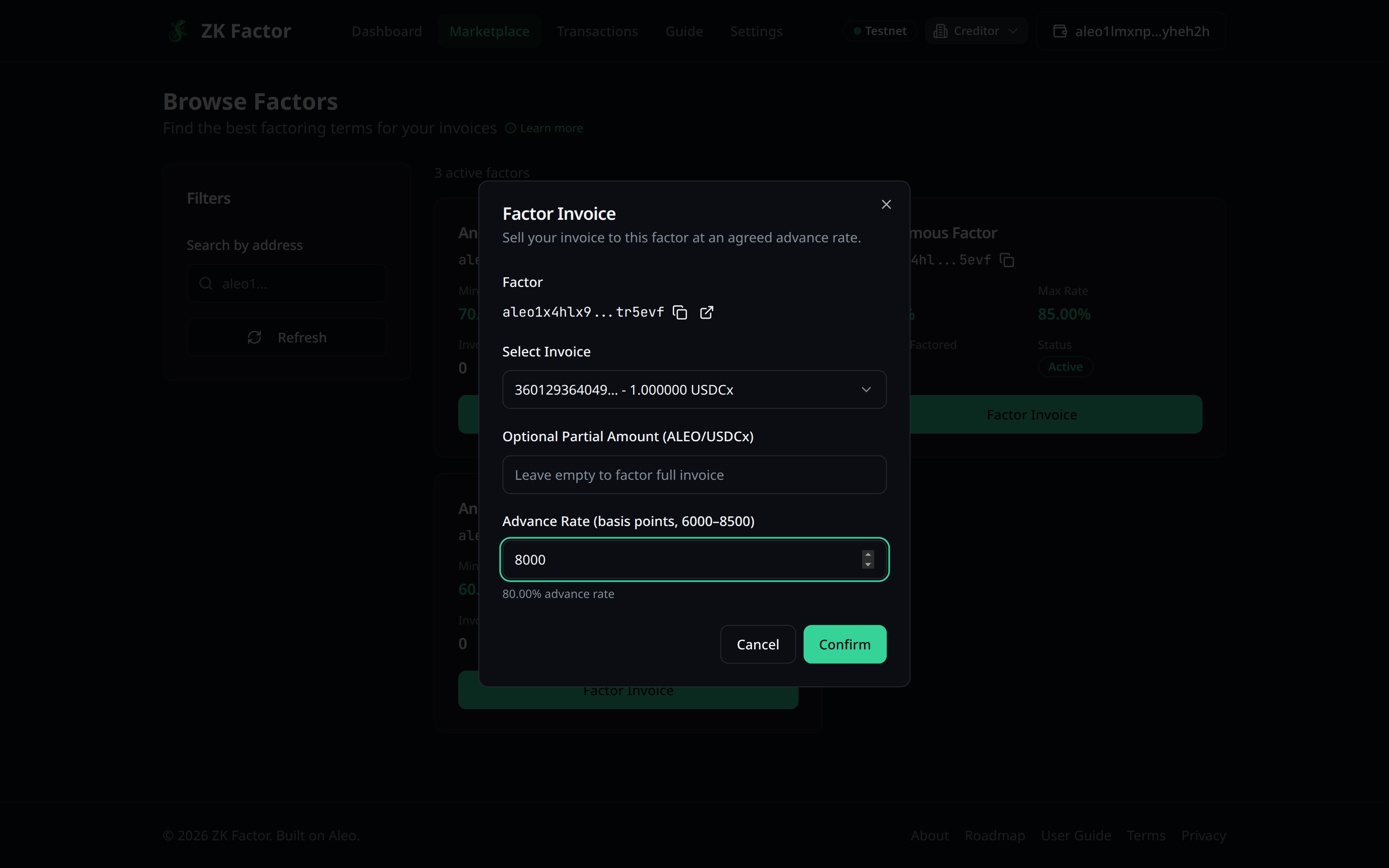
Review the calculated advance payment and fee, then click Confirm.
4. Authorize and Generate Proof
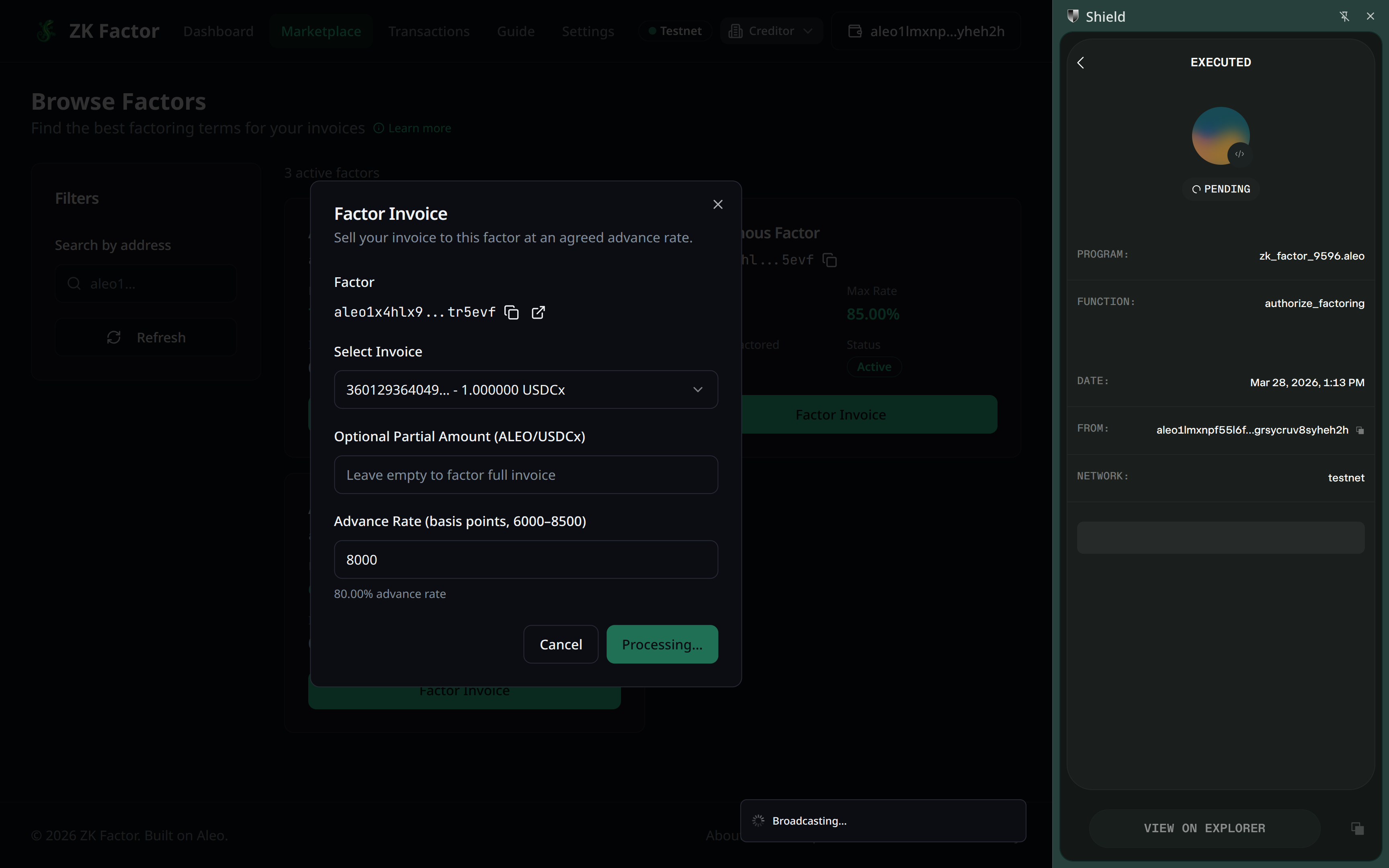
After clicking Confirm, you must:
- Approve the transaction in your Shield Wallet popup.
- Wait for proof generation. This ensures your factoring request is private and securely recorded on the Aleo blockchain.
5. Wait for Approval
The selected factor will be notified of your request. Once they review and approve the offer, the advance payment will be sent to your wallet automatically.
You can track the status of your request on your dashboard.